Connecting Smart Meter Texas
Two minutes with your bill, one click in an email, and your past year of usage is in. Here’s what to expect, and the ways in if you’d rather not connect.
What connecting does
We ask Smart Meter Texas, the statewide system the utilities run, to share your meter’s usage with us through its official access for companies like ours. Nothing is shared until you click Confirm in the email it sends you. We never ask for your Smart Meter Texas login.
- Your past year of 15-minute usage arrives within seconds of confirming, and each new month is added when it ends.
- We use it to price plans for your home, show you your usage and send the alerts you turn on.
- It lasts 12 months, and you can end it at any time.
- We can’t switch your plan or change anything on your electricity account.
It works for homes on Oncor, CenterPoint, AEP Texas and TNMP. Details are in our privacy policy.
What you’ll need
- Your ESI ID: the long number on your bill, often labelled “ESI ID” or “Electric Service Identifier”.
- Your meter number, also on your bill.
- Your electricity provider, the company that bills you.
We fill in your email; change it if you’d like Smart Meter Texas to write somewhere else. Smart Meter Texas checks that the ESI ID, meter number and provider belong together before it emails you, so if it can’t match them, check the meter number on your latest bill, or your provider if you switched recently.
The two emails
Both come from info@communications.smartmetertexas.com. Not there after a few minutes? Check your spam folder, then use “Send it again” on the Usage page.
1. The request: click Confirm
The subject starts “Authorization to allow KiloHound to access your electricity information ACTION REQUIRED BY…”. It opens with a long notice from Smart Meter Texas (more on that below); scroll past it to the three yellow buttons.
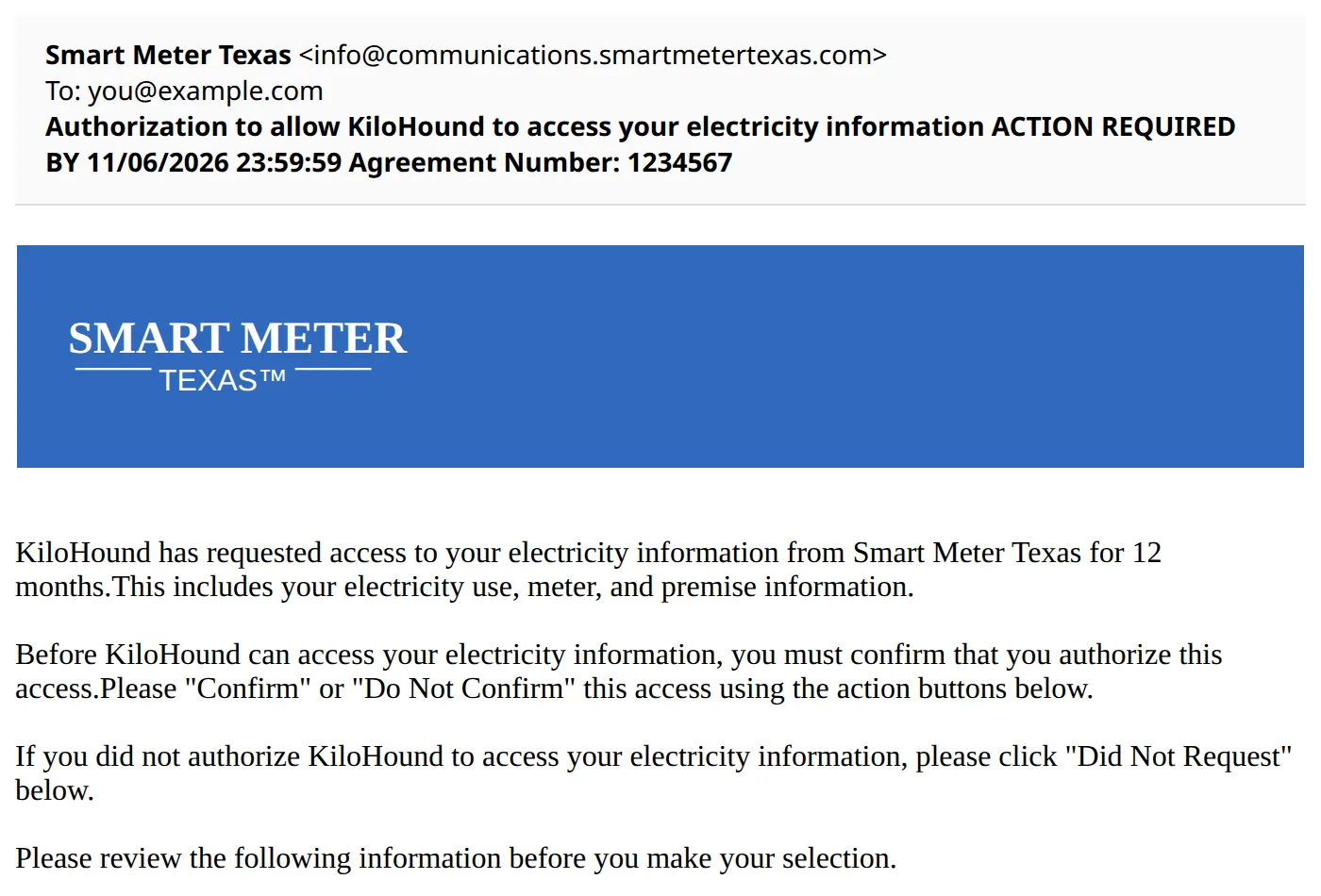
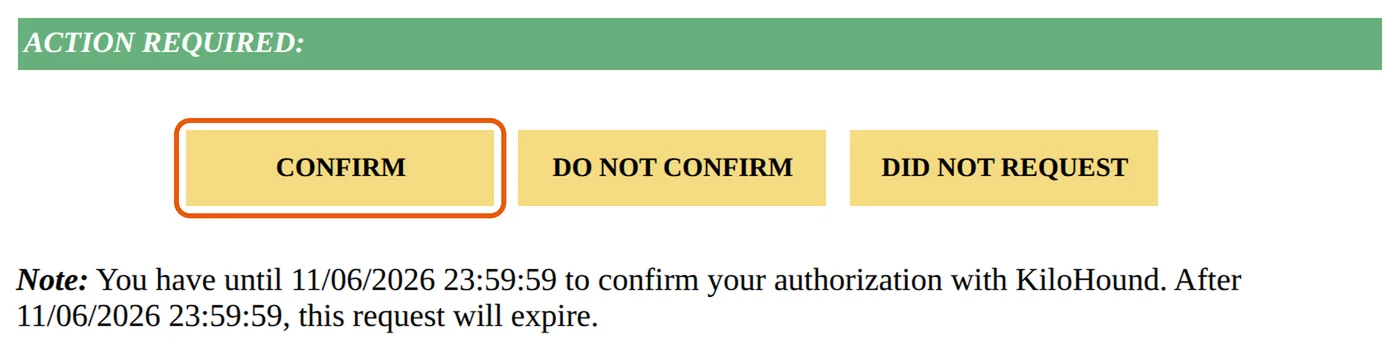
- CONFIRM
- : we start receiving your usage.
- DO NOT CONFIRM
- : nothing is shared.
- DID NOT REQUEST
- : tells Smart Meter Texas the request wasn’t yours. Use it only if you didn’t ask.
The request expires about 5 days after it’s sent; the email gives the exact date. After that, send a new one from the Usage page.
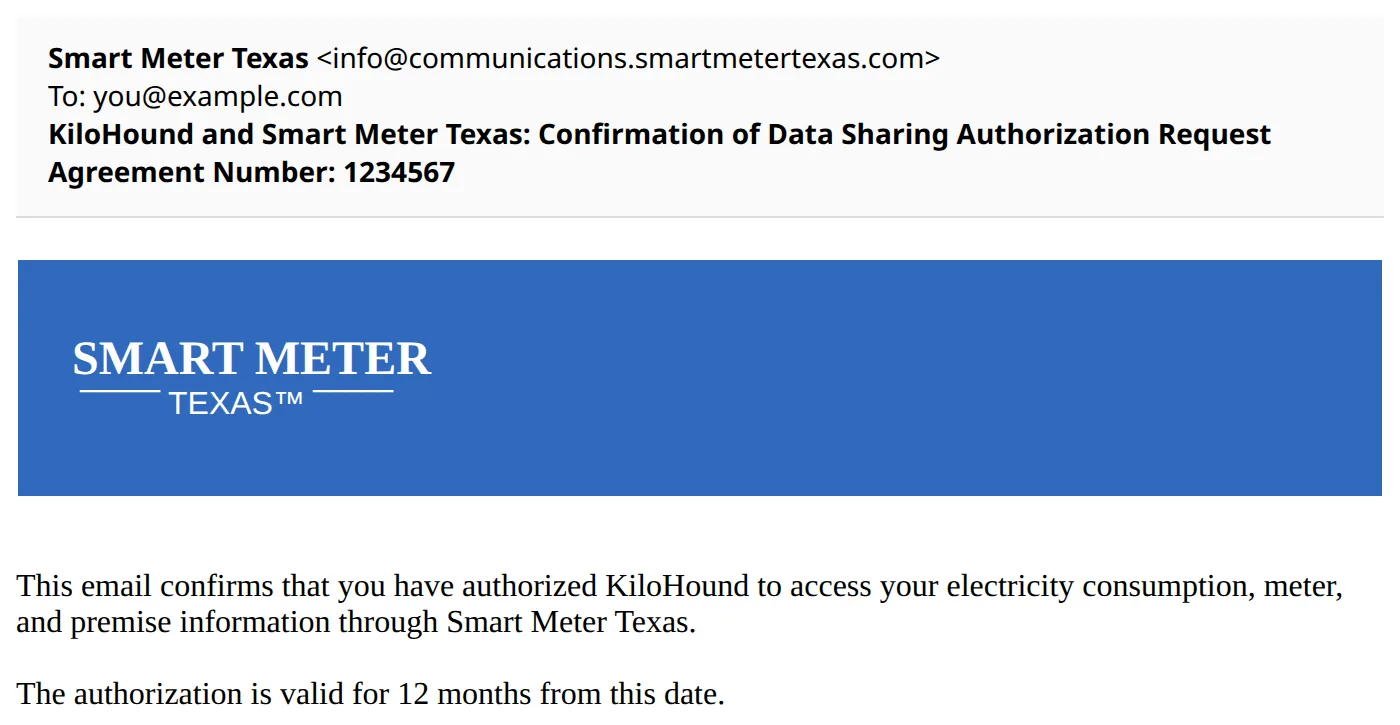
2. The confirmation: nothing to do
Right after you click Confirm, a second email arrives: “KiloHound and Smart Meter Texas: Confirmation of Data Sharing Authorization Request…”. It’s your receipt. By then your usage is already on its way to the Usage page.
About the notice in the email
Smart Meter Texas puts the same notice in every company’s request: that the company “may not be regulated” by the Public Utility Commission of Texas, and that any disagreement with it is between you and the company. It isn’t a warning about us in particular.
KiloHound is run by Bivalogic LLC d/b/a KiloHound. We use your usage only to price plans for your home, show it to you and send the emails you’ve turned on. We don’t sell it, use it for advertising or share it with electricity providers. Where our registration with the Public Utility Commission stands is on our broker disclosures, and everything we do with your data is in our privacy policy. Questions: support@kilohound.com.
Renewing
A connection lasts 12 months, and only you can renew it. Smart Meter Texas emails you 30 days before it ends, and again 15 days before if you haven’t yet; click Confirm in that email to keep your usage updating. If it lapses, the usage we already have stays, and you can connect again any time on the Usage page.
Ending it
Choose Disconnect on the Usage page, or end it at smartmetertexas.com. Deleting the home or your account, or moving out, ends it too. We tell Smart Meter Texas to stop sharing new data right away, and Smart Meter Texas emails you that it has ended. It charges no fee for ending a connection, and the usage already on file stays with your home until you replace or delete it.
Rather not connect?
Two other ways work, and you can connect later whenever you like:
- Download it yourself: sign in at smartmetertexas.com, pick “Energy Data 15 Min Interval”, choose your dates and click “Export My Report”, then upload the file on the Usage page. Upload a new one when you want fresher numbers.
- Type it from your bills: the “kWh used” from your last 12 bills. Plans are priced the same way, except time-of-use plans (free nights or weekends), which need 15-minute data.